Microsoft postpones the change for new CSP purchases to January–March 2027. Certain eligible experiences may incur charges beyond license fees, subject to an adjustable monthly limit.
Microsoft · Announcement: · Editorial review
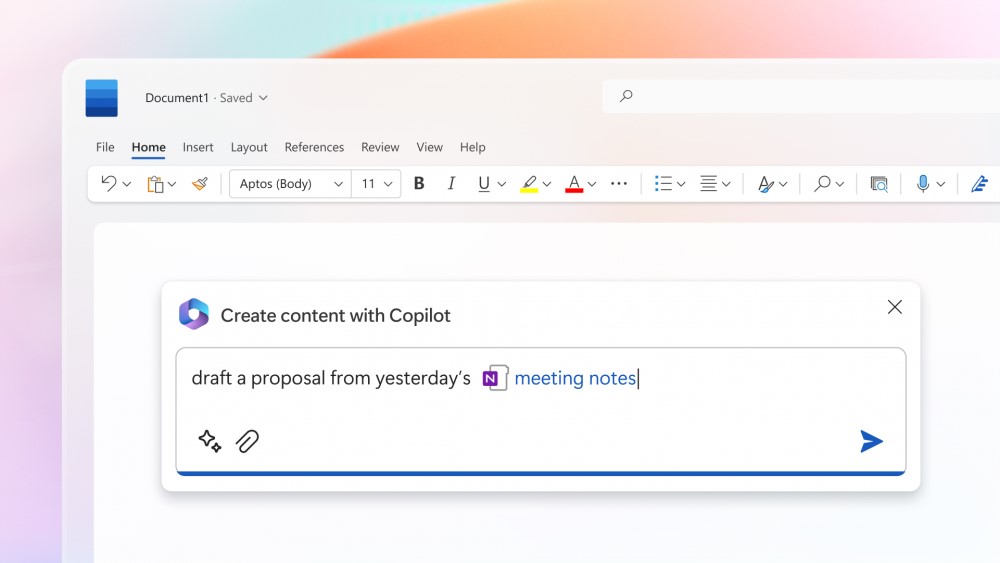
Microsoft 365 Copilot in Microsoft Word (archive). Image: Microsoft. Used with permission from Microsoft.
The change merged into BCApps creates per diem lines in each traveler's new expense report. Its inclusion in the repository does not yet establish deployment to customer environments.
GitHub Enterprise Cloud includes Copilot access for eligible enterprises, without an included credit allowance. Availability depends on the purchasing channel, and metered usage is billed from the first use.
The change replaces mark-based deletion and adds tools to inspect and clean up residual records. Integration into the repository does not yet confirm availability in a shipped Business Central update.
Microsoft has announced bundles of Business Central Essentials or Premium with Microsoft 365 Copilot Business from January 1, 2027. Published prices are USD 95 and USD 125 per user per month; accessible experiences will depend on licensed apps and services.
Microsoft brings equipment rental management into Supply Chain Management, connected with Finance. The documentation provides a basis for examining the process; the Copilot Cowork scenario is presented as a demonstration.
Microsoft extends usage limits to additional Copilot Chat features for users without a Microsoft 365 Copilot license in commercial organizations. The notifications call for support preparation and a review of license requests, without turning every limit into a recommendation to buy.
The API supports reading and updating policies across enterprises, organizations, teams, and agent apps. Using it requires identifying who controls each decision and reviewing changes.
The instructions guide compatible coding assistants. Evaluating them requires checking installation scope, project dependencies, and the changes they generate.
Apple opens app action integration through App Intents. For developers in Spain, Siri AI availability on Mac and Vision Pro sits alongside its absence on iPhone, iPad, and Apple Watch.
A change merged into BCApps allows an interim approver to be configured while an expense report is Released, before submission for approval. Deployment to customers is unconfirmed.
BCApps adds placeholders that let test inputs reuse identifiers generated during setup. The change has been merged into the repository; the consulted sources do not establish availability in a shipped release.
A change merged into BCApps lets extensions modify consolidation filters before the standard request. Its usefulness depends on the fields and operators supported by the API.
Two fixes merged into the repository affect posting group changes after acquisition and document numbering for cancellations. Their value for financial review depends on configuration and the installed version.
Checked on November 7, 2026: merge into main on October 27, logic in the two W1 objects, and assignment to milestone 30.0. Business Central has not been run, and deployment to customer environments is not established.
Microsoft merged two fixed asset fixes for Microsoft Dynamics 365 Business Central into BCApps on October 27. Pull request #13171 provides evidence of their incorporation into the code, which is separate from delivery of an update.
The posting group determines which general ledger accounts asset transactions use. Microsoft's documentation explains that its configuration covers acquisition, depreciation and disposal. Changing it therefore warrants reviewing the accounting effect as well as checking whether the field accepts the new value.
The stored posting group is nonblank and differs from the new value.
Allow Changes in Depr. Fields is disabled on the depreciation book.
What changes for cancellations
In the W1 cancellation code, if document number retrieval returns blank, the number is taken from the last line in the same journal template and batch. This logic appears in both the fixed asset journal and the fixed asset G/L journal.
One limitation follows from reading the code: if that last line also lacks a number, the fallback will still return blank. The fix does not guarantee valid numbering regardless of the journal's existing contents.
Scope, version and test evidence
The request is assigned to milestone 30.0, described as Business Central online 2027 release wave 1, with no due date. That planning information does not establish a shipped build or availability in a particular installation.
GitHub shows 176 checks passed when the request was merged. The author states that the new tests were not run locally. The check count alone does not establish that every functional scenario ran successfully.
The commit includes depreciation book changes in W1, DACH, FR, GB and RU; cancellation changes in W1, FR and RU; and tests in W1, ES, RU and CZ. CZ receives only cancellation tests: according to the description, its localization already applies a stricter posting group restriction. This file coverage does not confirm commercial availability by country.
Three scenarios for preparing a check
The following examples are synthetic and have not been run. They provide a basis for designing checks in a test environment whose build includes the change.
Scenario
Preparation
Evidence to collect
Acquisition and posting group change
Post a machine acquisition of €10,000 using group A. Disable the change setting and attempt to assign B.
Message returned, retained posting group and depreciation book configuration.
Permitted change
Repeat the scenario with the change setting enabled.
Field value and balances in the accounts for A and B, recorded separately.
Cancellation into a populated journal
Prepare a last line with document AF-0042 and cancel an acquisition. Repeat in both journal types.
Assigned number, reference to the canceled entry and the outcome of the review before posting.
Nexo's interpretation: separate configuration from accounting correction
The commit states that enabling the setting still permits a posting group change but does not transfer existing balances. Our interpretation is that the functional team should handle the field edit and any required reclassification separately.
To correct an erroneous acquisition, Microsoft documents using Cancel FA Entries, followed by the correct posting; it also warns that Reverse Transactions cannot be used for these entries. Practical review should preserve traceability between the acquisition, cancellation and replacement posting.
Created with AI assistance and reviewed by Nexo Community. Practical proposals and editorial interpretation are distinguished from documented facts.