Microsoft postpones the change for new CSP purchases to January–March 2027. Certain eligible experiences may incur charges beyond license fees, subject to an adjustable monthly limit.
Microsoft · Announcement: · Editorial review
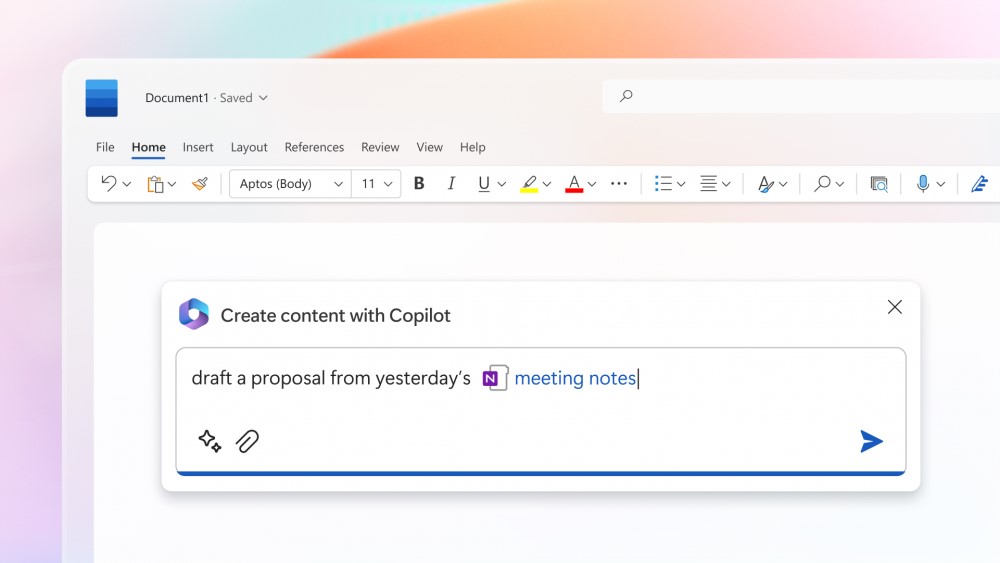
Microsoft 365 Copilot in Microsoft Word (archive). Image: Microsoft. Used with permission from Microsoft.
The change merged into BCApps creates per diem lines in each traveler's new expense report. Its inclusion in the repository does not yet establish deployment to customer environments.
GitHub Enterprise Cloud includes Copilot access for eligible enterprises, without an included credit allowance. Availability depends on the purchasing channel, and metered usage is billed from the first use.
The change replaces mark-based deletion and adds tools to inspect and clean up residual records. Integration into the repository does not yet confirm availability in a shipped Business Central update.
Microsoft has announced bundles of Business Central Essentials or Premium with Microsoft 365 Copilot Business from January 1, 2027. Published prices are USD 95 and USD 125 per user per month; accessible experiences will depend on licensed apps and services.
Microsoft brings equipment rental management into Supply Chain Management, connected with Finance. The documentation provides a basis for examining the process; the Copilot Cowork scenario is presented as a demonstration.
Checked on November 7, 2026 against Microsoft's announcement and Microsoft Learn. The preview is not intended for production and its features may change. Nexo has neither tested the product nor watched the Cowork demonstration.
On November 2, Microsoft announced the public preview of Rental Management in Dynamics 365 Supply Chain Management. The offering connects rental activity with Finance processes as part of its approach to Asset-as-a-Service models. Microsoft announcement.
The documentation distinguishes quotation, reservation, contract, shipment, periodic invoicing, call-off, receipt and closure. A call-off stops rental charges from accruing; receipt records the physical return. These are separate points in the process. Functional overview on Microsoft Learn.
A synthetic rental to examine handoffs
Nexo synthetic example: a business rents an excavator for four weeks. This table proposes review points for assessing how information moves through the process; it does not describe a real implementation, a product test or measured results.
Stage
Information that should accompany the equipment
Proposed review
Prepare the quotation
Requested equipment, dates, destination and rate.
The coordinator checks that the quotation addresses the customer's needs.
Prepare delivery
Assigned unit, attachments and initial condition.
Operations checks the agreement against what it will deliver.
Handle an incident
Affected unit, issue and commitments to the customer.
Service and coordination agree how the rental should continue.
Receive the return
Rental end date, receipt and equipment condition.
The coordinator and operations compare dates and examine discrepancies.
Review closure
Duration, charges and supporting documents.
Finance checks that the contract, invoice and records correspond.
Financial integration requires configuration
Microsoft Learn explains that rental invoice schedules generate sales orders whose posting updates accounts receivable and revenue. Revenue-based depreciation applies when configured. The integration uses Dynamics 365's accounting mechanisms. Financial integration documentation.
Our interpretation is that a useful evaluation should follow a transaction through to its financial records. Checking only whether a contract can be created leaves unanswered how discrepancies are detected, who resolves them and what evidence each team retains.
What accessing this preview involves
Microsoft warns that the preview is not intended for production, may have restricted functionality and is subject to supplemental terms. Documented capabilities may change or be removed; the documentation is not a commitment to future features or timelines. Preview terms and scope.
Enabling it requires both the Rental Management configuration key and the preview feature. The relevant operational and financial components must then be configured for each legal entity. Making the module visible is only part of the setup. Configuration prerequisites.
The sources reviewed do not specify a dedicated Rental Management price or establish every licence required for each combination of applications. This draft does not assume that enabling the feature grants additional usage rights.
Cowork: a demonstration with human review
The announcement also describes a demonstration in which Copilot Cowork interprets a request, checks availability and prepares a quotation for coordinator review through the Dynamics 365 ERP apps plugin. That description does not establish general availability of the demonstrated workflow. Scenario described by Microsoft.
As an evaluation criterion, Nexo proposes checking which data the agent can access, which changes it can make and where a person intervenes. The excavator example makes those questions concrete: who confirms the unit, who accepts the terms and who resolves a discrepancy before the quotation is sent.
Created with AI assistance and reviewed by Nexo Community. Practical proposals and editorial interpretation are distinguished from documented facts.