A Microsoft reference architecture guides the design of internal support with Copilot Studio. Permissions, escalation, and testing shape what is worth automating.
Business Central 29 combines controls over selectable layouts with APIs for querying the report inbox, retrieving files and updating their read status.
Microsoft lists three enhancements in public preview: multiple excise duties per item, withholding on employee transactions and vendor-specific self-billing number series. Their application depends on the process and configuration.
BC29 adds purchase order instructions, assisted setup and new warehouse options for subcontracting, building on capabilities already available in 28.3.
GitHub adds optional comparisons to the Copilot impact dashboard. The indicators place adoption and pull request merge rates alongside participating peers, with limits worth understanding before setting targets.
OpenAI’s policies will require prior approval to give third parties direct access to its models from November 20, 2026. The text distinguishes this service from integrating models into an application.
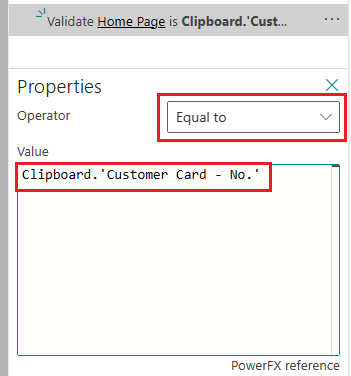
BC29 brings together data-driven AL tests, command-line execution and Page Scripting. A fictional example explores their combined use, including version and environment limitations.
Microsoft documents Expense Agent and its mobile app as production-ready previews, subject to supplemental terms. Mobile access is offered through TestFlight (iOS 17 or later) and Google Play (Android 14 or later). AI evaluation and project visibility depend on configuration; human review remains required. Documentation checked on October 27, 2026, without testing access or functionality.
What we know: According to Microsoft Learn, Expense Agent is a production-ready preview and requires users to review expenses before submitting their report. The BC29 notes classify AI-driven approvals and restricting the web app to assigned projects as public preview. Microsoft documents mobile preview access for Business Central online through TestFlight and Google Play, requiring iOS 17 or later and Android 14 or later, respectively, and the same credentials as the web app. The expense configuration lets administrators enable AI policy evaluation, display project fields and determine whether users see only assigned projects or all active projects.
Proposed angle: Build a proposal around a fictional business trip: capture a receipt, allocate it to a project and examine its approval. Separate extraction, deterministic rules, assisted policy evaluation and human decisions to identify useful questions for consultants and project leads.
What remains to verify: Effective access to the preview and its behavior under a specific permissions and policy configuration have not been tested. We have not watched the demonstrations or measured extraction accuracy, time savings or processing performance.
Created with AI assistance and reviewed by Nexo Community. Practical proposals and editorial interpretation are distinguished from documented facts.